ZoomEasy 4.3.0 Update - A Screen Filter to Ease Eye Strain
ZoomEasy 4.3.0 adds a screen filter. It lays a light color filter over your screen to make it easier on your eyes.
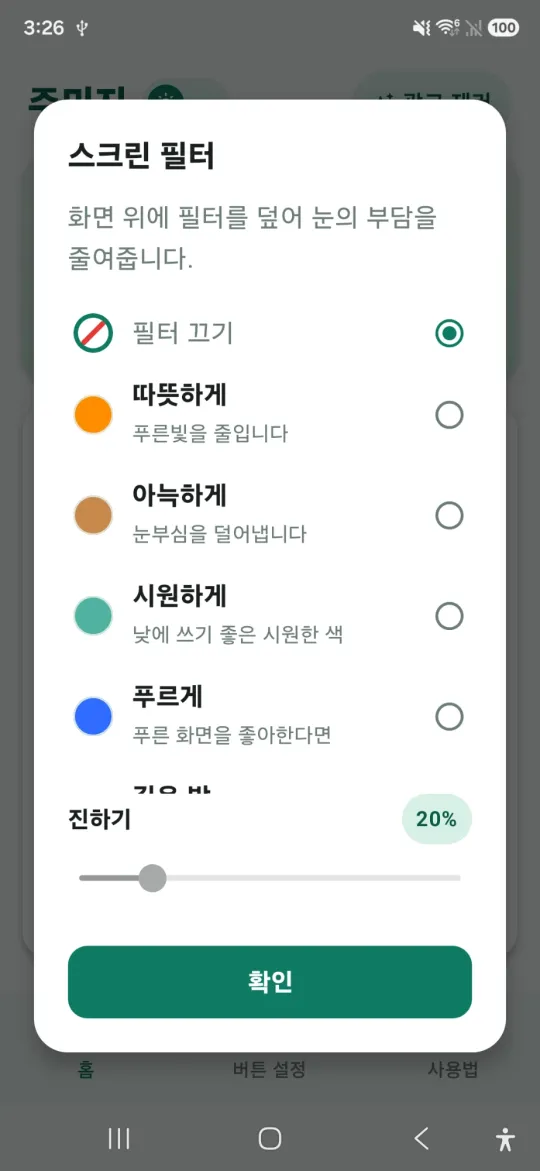
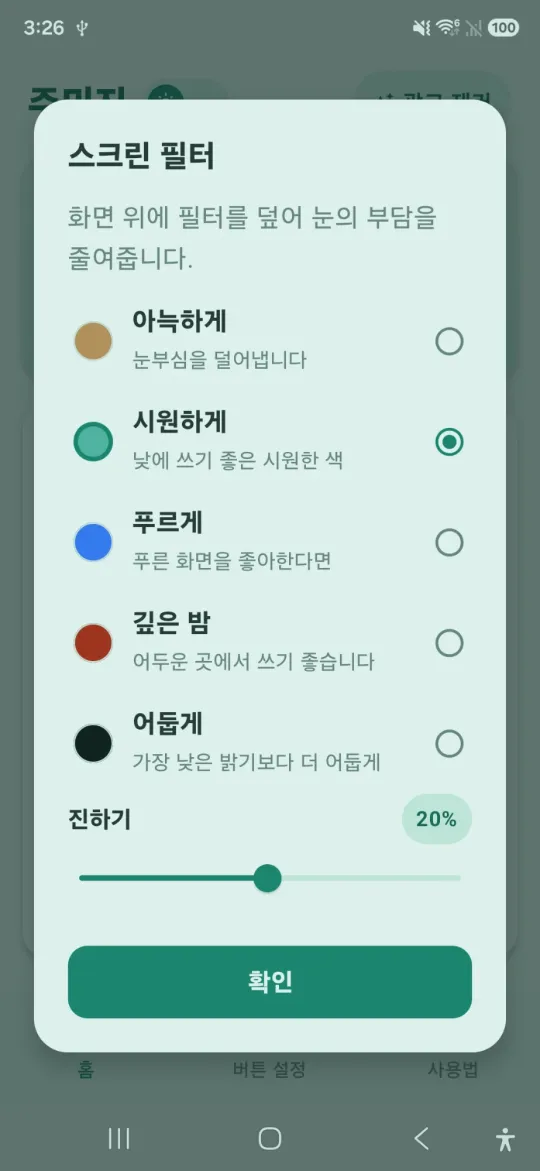
What’s new
There are six filters to choose from:
- Warm (orange): cuts down blue light
- Cozy (amber): reduces glare
- Cool (teal): a fresh tone for daytime
- Blue: for those who like a bluish screen
- Deep night (dark red): good for dark places
- Dim (black): makes the screen darker than your phone’s lowest brightness
Set how strong the filter is with the intensity slider. The dialog changes color as soon as you pick a filter, so you can preview the effect. To turn it off, choose Filter off.
How to use it
- Open Screen filter in ZoomEasy.
- Pick a filter.
- Adjust the intensity slider and tap OK.
For everything else ZoomEasy can do, see How to use ZoomEasy.
Comments